

Monitor arm weight ranges: why the wrong arm fails in month three
A monitor arm is specified by a weight range, not a maximum, and a screen below the bottom of that range fails as surely as one above the top. The published ranges, clamp limits and screen sizes for every arm on the catalogue, and what to weigh first.
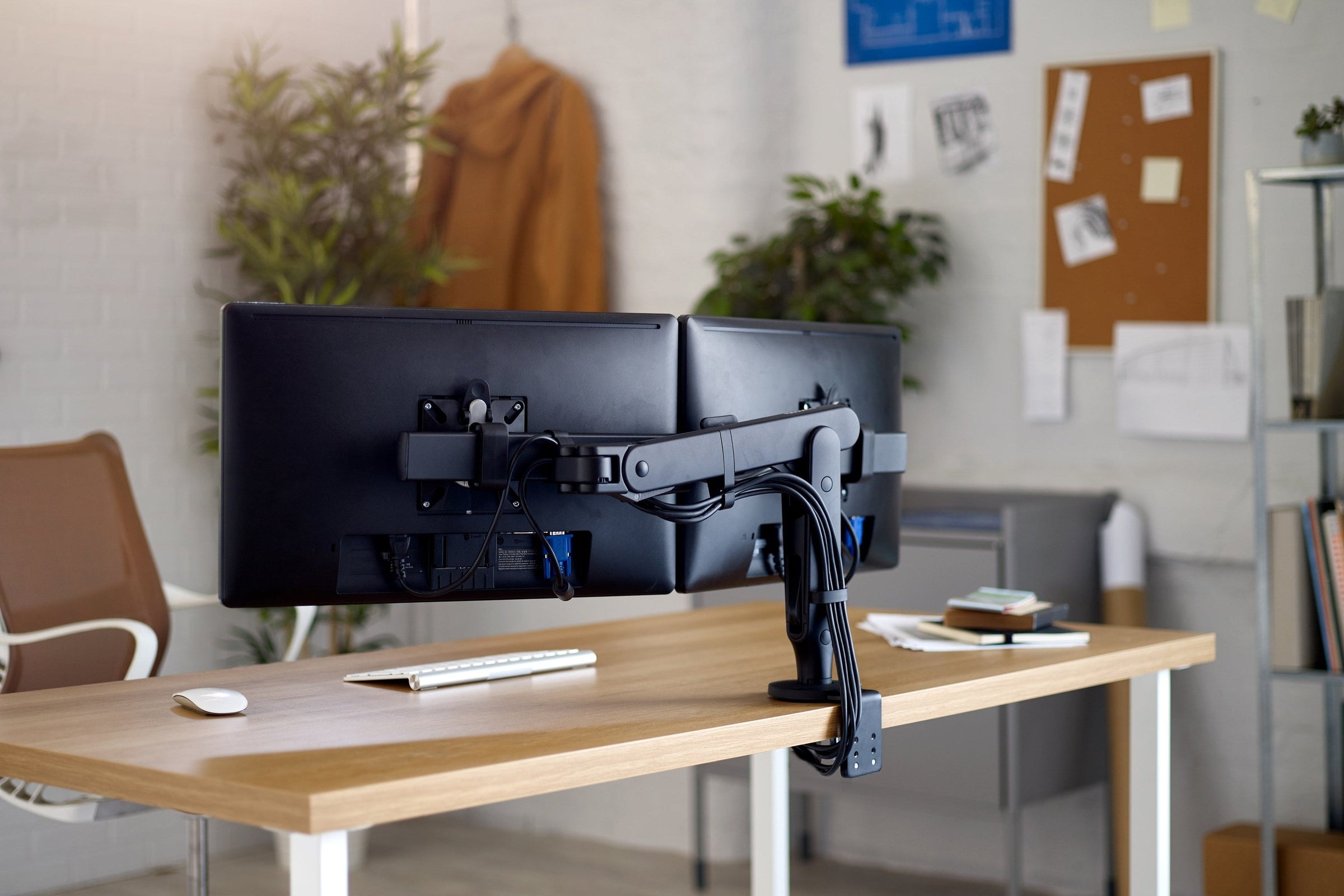
A monitor arm is specified by a weight range, not a maximum. The arms on this catalogue publish ranges from 0 to 6.5 kg at the light end up to 2 to 27 kg at the heavy end, and a screen that sits below the bottom of a range is as wrong as one that sits above the top. Weigh the panel with its stand removed, add the dock, the light bar, the webcam and anything else clamped to the screen, then choose an arm whose published range puts that total near the middle. That single decision is most of the difference between an arm still holding its height in year three and one that has been quietly abandoned at its lowest setting.
Here is what the four ranges in the monitor arms collection actually publish.
| Arm | Screens | Published weight range | Published screen size |
|---|---|---|---|
| Lima | Single or dual | 0 to 6.5 kg per screen | Not published |
| Flo | Single | 2 to 7 kg | Flat and curved to 1000R, ultrawide to 34 in |
| Ollin | Single or dual | 0 to 9 kg per screen | Not published |
| Wishbone | Single or dual | 0 to 12 kg | Not published |
| Flo X | Single | 3 to 18 kg | To 49 in, 32:9, flat or curved |
| Flo X Multi | Dual or triple | Up to 16 kg combined | Two to 32 in, or three to 27 in |
| Flo Modular | Single to triple | 2 to 7 kg per screen | Not published |
| M2 Pro | Single or dual | 2.3 to 10 kg (5 to 22 lb) | Not published |
| M8 Pro | Single, or dual on a crossbar | 4.1 to 22.7 kg (9 to 50 lb) | Not published |
| M/Flex | One to six | Per arm fitted, 40.8 kg (90 lb) per post | As per the arm fitted |
| Vader | Single or dual | 1 to 9 kg per arm | 17 to 32 in, flat or curved |
| Glider | Single or dual | 3 to 9 kg per arm | 17 to 32 in, flat or curved |
| C.ME | Single to quad | 8 kg per arm | 17 to 32 in, flat screens only |
| 2:22 Curve | Single or dual | 2 to 22 kg per arm curved, 2 to 27 kg flat | 24 to 57 in, flat or curved |
| ZG1DS | Single | 3 to 11 kg | 17 to 38 in, quoted as a reference |
A range has a floor as well as a ceiling
Almost every arm here holds its position with a counterbalance: a gas spring on Vader, Glider and the Zgonic arms, a dual rate spring on Flo, a patented weight compensating spring on the Humanscale M/Class arms, and a technical cord mechanism on Ollin. The spring is set once, against the weight of the screen, and from then on the screen should move on fingertip pressure and stay where it is put.
That mechanism is why the bottom of the range matters. Put a 3 kg screen on an arm whose range starts at 4 kg and the spring wins: the arm creeps upward, and the person either pushes it back down every morning or gives up and leaves it high. Put a screen above the top of the range and the opposite happens. The tension is wound to its limit on day one, there is nothing left in reserve, and the arm settles lower over the months that follow.
Neither failure shows up at handover. Both show up around month three, which is roughly how long it takes someone to stop fighting a piece of furniture. By then the arm is doing the one thing it was bought not to do, which is holding a screen at a fixed height. Comcare's office safety guidance asks workers to “position the top of the monitor just above eye level to avoid head tilt”, and that is only achievable on the day and in year three if the arm still holds where it is put.
C.ME is the exception worth knowing. It has no gas or mechanical spring to tune and adjusts on a push button, which is why Thinking Works publishes a single figure of 8 kg per arm rather than a range. On a floor where nobody will ever re-tension an arm, that is a real advantage.

Weigh the panel, not the box
The weight a screen manufacturer publishes is usually the weight with the stand attached, and on a large monitor the stand can be a third of the total. The arm never carries the stand. Take the figure published for the display without stand, which most manufacturers list separately in the specification sheet, and work from that.
Then add everything else. Humanscale puts the instruction plainly on its own weight capacity table: “Add user's device weight plus screen weight to determine which monitor arm best supports the total weight based on weight limits to the left.” A dock clipped to the VESA plate, a light bar, a webcam, a privacy filter frame and a second small panel on a slider all count.
Holders and trays are rated separately, and lower. The Thinking Works laptop tray published in the Glider technical specification is rated at 4.5 kg for a 10 to 15.6 inch laptop. On Humanscale's weight capacity table the previous generation M2.1 took 2.3 to 10 kg as a monitor but only 2.3 to 5.7 kg as a notebook holder, offset VESA or thin client mount, and M8.1 took 2.7 to 12.7 kg as a monitor but 2.7 to 9 kg on an offset or thin client mount. Colebrook Bosson Saunders publishes a weight range for the Lima arm but not for its laptop mount, so that figure has to be asked for. If a laptop or a thin client is going on the arm, that rating governs, not the monitor rating.
VESA tells you the holes, not the load
Every arm in the table above states VESA compliance, in practice the 75 mm and 100 mm square patterns. That is a statement about bolt spacing and nothing else. The VESA Flat Display Mounting Interface standard does band displays by size and weight, but those bands describe what the display is designed to, not what a mount can carry.
| FDMI part | Display diagonal | Display weight | Hole pattern |
|---|---|---|---|
| Part B | 4 to 7.9 in | Up to 2 kg (4.4 lb) | 50 x 20 mm |
| Part C | 8 to 11.9 in | Up to 4.5 kg (10 lb) | 75 x 35 mm |
| Part D | 12 to 22.9 in | Up to 14 kg (30.8 lb) | 75 x 75 or 100 x 100 mm |
| Part E | 23 to 30.9 in | Up to 22.7 kg (50 lb) | 200 x 100 mm |
| Part F | 31 in and above | Up to 113.6 kg (250 lb) | 200 mm and up, in 100 mm increments |
Read that table next to the first one and the gap is obvious. Parts B to E are specified with M4 fixings, and Part F moves to M6 or M8. A 24 inch screen sits in Part E, which allows a display of up to 22.7 kg. Only the heaviest arm here, the 2:22 Curve, will carry that. The display standard and the arm rating are two different numbers and only one of them is about the arm.
Two further details catch people out. Thinking Works specifies centre mounted VESA on both C.ME and Glider, so a screen whose mounting pattern sits high or low on the back panel, which is common on large and ultrawide displays, is not simply a matter of the bolts lining up. And a screen that arrives with a 200 mm pattern needs an adapter plate on most arms, which has a weight of its own that goes into the total. 2:22 Curve is the exception on this catalogue: it takes 75, 100 and 200 mm patterns directly.

Flat, curved and ultrawide are not interchangeable
Weight is the first constraint and screen geometry is the second. Thinking Works publishes that only flat screen monitors can be used on C.ME, and that curved monitors are not supported: an explicit exclusion, not a caution. Vader and Glider are both published at 17 to 32 inches, flat or curved. Colebrook Bosson Saunders quotes ultrawide screens up to 34 inches on Flo and screens up to 49 inches at a 32:9 aspect ratio on Flo X. Humanscale publishes weight ranges for M2 Pro and M8 Pro but no maximum diagonal on its current monitor arm pages, so on those two the weight is the only published constraint to work to. Zgonic quotes 17 to 38 inches on the ZG1DS as a reference and names weight capacity as the determining factor.
A wide panel moves its mass further from the mount as it rotates, so an ultrawide screen inside an arm's weight range can still be outside the geometry the arm was tested to. Where a schedule says "ultrawide" without a model, that is worth resolving before the order rather than after.
The desk is half the specification
The most common reason an arm cannot be installed on the day is not the screen at all. It is the worktop. Clamp ranges are published per mount type, and they are narrower than people assume.
| Arm | Mount | Worktop thickness |
|---|---|---|
| Lima | Thumbwheel clamp | 6 to 40 mm |
| Flo | Split clamp | 0 to 65 mm |
| Flo | Top mount clamp | 12 to 25 mm |
| Flo | Grommet mount clamp | 10 to 35 mm |
| Flo X | Split clamp | 9 to 45 mm |
| Flo X | Top mount clamp | 12 to 25 mm |
| Ollin | Split desk clamp | 0 to 65 mm |
| Ollin | Through desk grommet | 10 to 35 mm |
| Ollin | Top mount clamp | 12 to 25 mm |
| Wishbone | Split mount clamp | 0 to 68 mm |
| Wishbone | Universal desk clamp | 13 to 38 mm |
| Wishbone | Universal top mount clamp | 12 to 25 mm |
| Flo Modular | High load split mount | 0 to 68 mm |
| Flo Modular | High load top mount | 25 to 38 mm |
| Vader | Desk clamp | 10 to 85 mm |
| Vader | Bolt through | 10 to 80 mm |
| Glider | Desk clamp | 10 to 60 mm |
| Glider | Bolt through | 10 to 60 mm |
| C.ME | Desk clamp | 18 to 33 mm |
| C.ME | Bolt through | 18 to 30 mm |
Zgonic publishes four mount types on the ZG1DS, a universal rail, a top down clamp, a two piece clamp and a bolt through, without a thickness range on the brochure, so that one is worth confirming against the specific worktop.
Two other dimensions belong on the same check. Glider publishes 255 mm of height adjustment, with the single arm carrying a 17 inch screen between 132 and 569 mm above the worktop: on a run of standing height benches that range, not the weight, is the number that decides it. And a bolt through mount needs a hole where the user wants the arm rather than where the grommet happened to be set out, so the grommet position on the workstation drawing is part of the monitor arm decision.
Specifier's note. Clamp ranges are measured at the clamp position on the finished worktop, not against the nominal board thickness on the schedule. A 25 mm top with a 38 mm edge profile, a spine, a modesty panel returning to the underside, or a cable tray and beam sitting under the rear edge of a sit-stand frame will each stop a clamp that the paperwork said would fit. Ask for the desk section and the grommet setout before the arms are ordered, and check C.ME with particular care: its published range starts at 18 mm and stops at 33 mm, which rules out a thin top and a thick one at the same time.
Post and crossbar systems carry a second limit
Once there is more than one screen, the per arm figure stops being the only number. A post or a crossbar has its own rating, and the arms hanging off it do not each get the full allowance.
M/Flex carries one to six monitors on a single post, with arms added later without reinstalling the mount, and Humanscale's weight capacity table sets two limits rather than one: the whole system has to stay under 40.8 kg (90 lb) of combined screen weight on a non technology mount, and only 13.6 kg (30 lb) of that may sit above 455 mm. On an M/Connect 2 or M/Connect 3 mount the system total drops to 27.2 kg (60 lb) and the maximum post height is 610 mm. The crossbar figures on the same table are lower again: up to 5.7 kg per screen on a dual crossbar, flat screens only, and up to 4.8 kg per screen on a triple.
Flo Modular publishes 2 to 7 kg per screen on the Wishbone post system, which is the same 2 to 7 kg as a single Flo rather than a reduced figure, and the post gives more vertical range than a desk mounted arm. The Wishbone post itself comes in six lengths with the arm in three, which is why it is still specified for control rooms. C.ME runs from single to quad on one post, with an extended post for vertical stacking, at the same 8 kg per arm. Zgonic's ZP6 takes the same approach for multi screen desks, at 11 kg per arm and 40 kg for the post.
The question to ask a supplier for any of these is not what one arm carries. It is what the post carries with every arm loaded, because that is the condition a trading desk or a control room actually runs in.

Check which generation you are quoting
Humanscale replaced its M/Class arms during the current catalogue cycle, and the figures moved a long way. M2.1 became M2 Pro, and the published range went from 5 to 15.5 lb up to 5 to 22 lb, which Humanscale describes as 42 per cent more weight capacity. M8.1 became M8 Pro, from 6 to 28 lb up to 50 lb, which it describes as 79 per cent more. M10 transitioned to M8 Pro. Humanscale states that “Warranty coverage, mounting standards, sustainability commitments, and the familiar user experience remain unchanged.”
That matters on a live project in two directions. A schedule written from an older specification sheet will undersize the arm against what is now available, and a schedule written from the new page will oversize it against arms already installed on the floor. Note also that Humanscale's upgrade page gives the M8 Pro range from 5 lb while its current monitor arm range page gives 9 lb. Confirm the lower bound against the configurator for the exact model before the schedule is issued.

Warranty, where it is published
Colebrook Bosson Saunders publishes a 12 year warranty across the monitor arm range. Humanscale points to its terms and conditions for the warranty term rather than stating it on the product page, and says the coverage is unchanged across the M/Class generations, so the term belongs on the order in writing. Zgonic publishes a limited 10 year warranty on the ZG1DS, along with 29 per cent recycled and 99 per cent recyclable content. Thinking Works states no warranty figure in the monitor arm comparison sheet or the Vader, C.ME and Glider technical specifications, so that one is worth asking for rather than assuming.
What to put on the schedule
- Screen make and model, and the panel weight with the stand removed.
- Everything else going on the arm: dock, light bar, webcam, adapter plate, laptop tray, and the laptop's own weight.
- VESA pattern, and whether it is centred on the back of the panel.
- Flat or curved, and the diagonal, checked against the arm's published screen size as well as its weight range.
- Worktop thickness measured at the clamp position, with the edge profile and any spine or beam noted.
- Mount type, and the grommet setout if it is bolt through.
- Number of screens per post, and the post rating with every arm loaded.
- Published warranty, in writing.
Frequently asked
How do I work out the weight of my monitor for a monitor arm?
Use the weight of the panel with the stand removed. Manufacturers usually publish a weight with the stand attached, and the stand can be a third of it. Add the weight of anything that hangs off the screen, such as a dock, a light bar, a webcam or a laptop tray, then choose an arm whose published range puts that total near the middle rather than at either end.
What happens if a monitor is too light for the monitor arm?
The counterbalance spring pushes the screen up. The arm drifts above the height it was set to, and the user either forces it back down every morning or stops adjusting it at all. A screen below the bottom of a published range is as wrong as one above the top.
Does VESA compatibility mean the arm can hold my screen?
No. The VESA Flat Display Mounting Interface standard sets the bolt pattern, commonly 75 mm or 100 mm square, and bands displays by diagonal and weight. It says nothing about what a particular arm can carry. The arm's own published weight range is the number that governs.
Can a curved or ultrawide screen go on any monitor arm?
No. Some arms exclude curved screens outright: Thinking Works publishes that only flat screen monitors can be used on C.ME. Others publish a tested limit, such as Colebrook Bosson Saunders quoting ultrawide screens up to 34 inches on Flo and screens up to 49 inches at a 32:9 aspect ratio on Flo X. Check the published screen size as well as the weight.
How thick can the desk be for a monitor arm clamp?
It depends on the clamp. Across the arms in this guide the published ranges run from 0 to 68 mm for a split clamp down to 18 to 33 mm for the C.ME desk clamp. Measure at the clamp position rather than taking the nominal worktop thickness, because edge bands, bulkheads and sit-stand beams all change it.
Geneva specifies arms across all four of these ranges and can check a screen schedule against the published weights, screen sizes and worktop sections before it is issued. Bring the monitor model and the desk section and we will do the arithmetic: talk to our team.
Related reading: anatomy of a Sydney CBD floor for where workpoints and their screens land on a plan, and weight balanced recline for the same counterbalance logic applied to a task chair. Geneva's Thinking Works, Humanscale and Zgonic pages carry the wider ranges, and workplace furniture sets out how the settings fit together.